
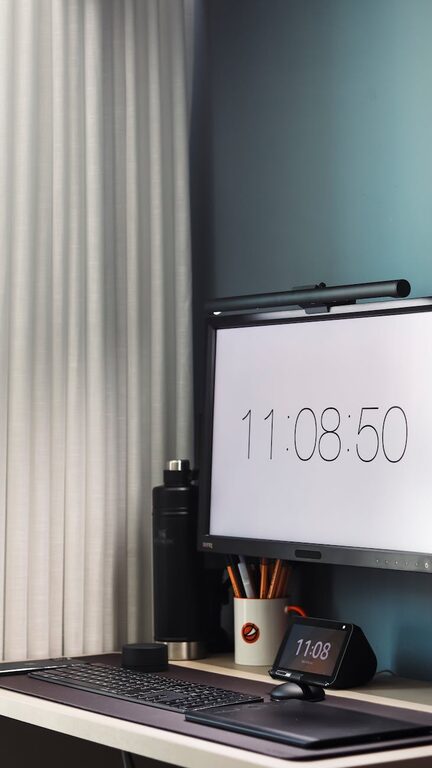
Creating a productive workspace at home can make a significant difference in your work quality and overall well-being. A cluttered desk and chaotic environment often lead to distraction and stress, while an organized, tidy area helps maintain focus and encourages efficiency. Whether you’re working remotely full-time or setting up a spot for occasional tasks, these tips will guide you in creating a clutter-free and productive home office.
Why Organizing Your Workspace Matters
Before diving into the how-tos, it’s important to understand why a well-organized workspace benefits you:
– Boosts Concentration: A tidy environment reduces distractions and helps your mind stay on task.
– Saves Time: When everything has a place, you spend less time searching for items.
– Improves Mood: Clutter can feel overwhelming; a neat space promotes calm and positivity.
– Enhances Productivity: An organized setup encourages efficient work habits and better output.
Step 1: Choose the Right Location
Start by finding the best spot in your home for your workspace. Ideally, this should be a quiet area with good natural light.
– Avoid High-Traffic Areas: Choose a place with minimal interruptions.
– Natural Light: Position your desk near a window if possible to boost your energy and mood.
– Enough Space: Make sure you have enough room for your computer, necessary documents, and some storage.
Step 2: Declutter Your Desk
Clearing your desk of non-essential items is key.
– Keep Essential Tools Only: Limit your desktop to the items you need daily, like your computer, planner, and a pen holder.
– Remove Personal Items: While photos or decorations can be comforting, too many can create distractions.
– Clear Paper Clutter: Digitize important documents or file them away.
Step 3: Use Smart Storage Solutions
Proper storage keeps your workspace neat and accessible.
– Use Drawer Organizers: Separate small office supplies like paper clips, pens, and sticky notes in compartments.
– Add Shelving: Wall shelves can save desk space and keep books or binders within reach.
– Bins and Boxes: Use labeled containers to group similar items, such as cables or stationery.
Step 4: Invest in Ergonomic Furniture
Comfortable furniture supports longer focus sessions and reduces physical strain.
– Ergonomic Chair: Choose a chair with good lumbar support.
– Desk at the Right Height: Your desk should allow your arms to rest at about a 90-degree angle while typing.
– Monitor Position: The top of your screen should be at eye level to avoid neck strain.
Step 5: Keep Digital Organization in Check
Clutter isn’t only physical. A disorganized computer desktop or email inbox can also affect your workflow.
– Organize Files: Use folders and clear, descriptive file names.
– Regular Backups: Keep your work safe with frequent backups.
– Manage Emails: Use folders, filters, and unsubscribe from unnecessary newsletters.
Step 6: Establish a Daily Routine for Tidying
Maintaining a clutter-free workspace requires consistent effort.
– End-of-Day Cleanup: Spend 5–10 minutes clearing your desk at the end of each workday.
– Weekly Deep Clean: Dedicate time once a week to organize drawers, sort papers, and review your digital files.
– Adopt the “One In, One Out” Rule: When adding new items, consider removing one to avoid accumulation.
Step 7: Personalize Thoughtfully
A workspace that reflects your personality can make working from home enjoyable, but moderation is key.
– Choose a Few Favorite Items: A small plant, an inspiring quote, or artwork adds personality without clutter.
– Avoid Overcrowding: Make sure your personal touches don’t take up valuable workspace.
Additional Tips for Staying Productive
– Set Boundaries: If possible, separate your work area from leisure spaces.
– Use Task Lists: Keep a to-do list visible to track priorities.
– Limit Multitasking: Focus on one task at a time to maintain quality.
– Take Breaks: Stand, stretch, or walk around periodically to refresh your mind.
—
Organizing a clutter-free and productive workspace at home takes some planning and regular maintenance, but the payoff is a more enjoyable and efficient working experience. With these helpful tips, you can create an environment that supports your best work every day.